Atelier: AI image, video and 3D generator
The Atelier is where you make the pictures, video clips, sound and 3D models for an AI game or roleplay world on Yumina. Write a sentence, pick a model, and the result is saved to your asset library.
What you can make
- Pictures
A sentence becomes a picture. Attach a reference picture to have it changed the way you describe, and choose the shape and size.
- Video
A sentence or a picture is enough for a short clip. A clip can go into a world as a character's moving portrait.
- Sound
Music, sound effects and voices. Pick a voice to read a line, design one from a sentence, or clone one from a recording.
- 3D models
One picture becomes a textured 3D model, saved as a .glb. A full-body picture of a person becomes a rigged character that moves.
- LoRAs
Train a LoRA from one portrait so a character keeps the same face, or use one that someone else has shared.
Picture models
- Seedream ByteDance
Seedream 5.0 Flash, Seedream 5.0 Lite, Seedream 5.5, Seedream 5.0 Pro
- Nano Banana Google
Nano Banana 2.1, Nano Banana 2, Nano Banana Pro
- GPT Image OpenAI
GPT Image 2.5 Flare, GPT Image 2.5 Sunburst, GPT Image 2
- FLUX Black Forest Labs
FLUX.2 Pro, FLUX.2 Max, FLUX 3
- Qwen Image Alibaba
Qwen Image 3, Qwen Image 3 Pro
- Grok Imagine xAI
Grok Imagine, Grok Imagine Quality, Grok Imagine 2.0
- Kling Kuaishou
Kling Image O1
- Luma Luma AI
Luma Uni-1, Luma Uni-1 Max
- Ideogram Ideogram
Ideogram 4.5
- Wan Alibaba
Wan 2.5
- Recraft Recraft
Recraft V4.1
- Krea Krea
Krea 2 Turbo, Krea 2 Medium, Krea 2 Large
- MAI-Image Microsoft
MAI-Image 2.6
- MiniMax MiniMax
MiniMax H3 Image
- HunyuanImage Tencent
HunyuanImage 3.5
Video models
- Seedance ByteDance
Seedance 2.5, Seedance 2.0, Seedance 2.0 Fast, Seedance 2.0 Mini, Seedance 1.0 Pro, Seedance 1.0 Pro Fast
- Kling Kuaishou
Kling 3.0 Omni, Kling 3.0, Kling 3.0 Turbo, Kling O1, Kling 2.6, Kling 2.5 Turbo
- Veo Google
Veo 3.1 Lite, Veo 3.1 Fast, Veo 3.1
- Gemini Omni Google
Gemini Omni 1.1 Flash
- Wan Alibaba
Wan 2.2, Wan 3.0, Wan 3.0 Prime, Wan 2.7, Wan 2.6, Wan 2.5
- Hailuo MiniMax
H3 Max, H3, H3 Max Turbo
- Grok Imagine xAI
Grok Imagine 1.5 Lite, Grok Imagine 1.5
- HappyHorse Alibaba
HappyHorse 1.1, HappyHorse 1.0
- LTX Lightricks
LTX-2.5 Fast, LTX-2.5 Pro
- Runway Runway
Gen-4 Turbo
- Marey Moonvalley
Marey
- FLUX Video Black Forest Labs
FLUX 3 Video
- P-Video Pruna AI
P-Video 2
Art styles
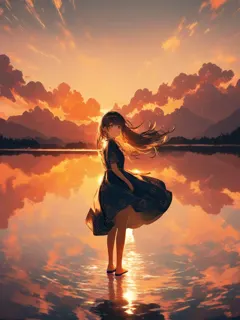
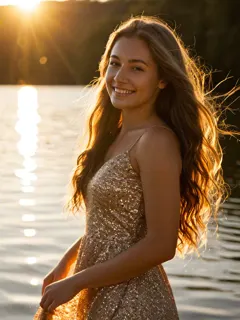
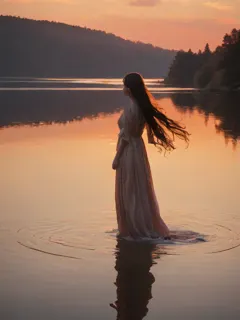
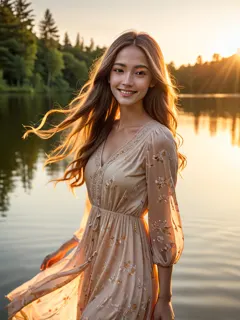
Art styles are picture models tuned for one look. They run on Yumina's own GPUs, and most of them take LoRAs.
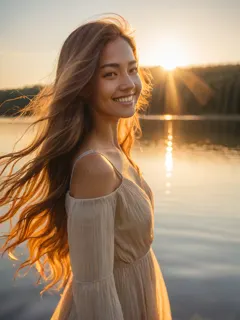
How to make a picture
- Open the Atelier and choose Pictures.
- Write one sentence about what you want. Attach a picture if you want it changed instead of drawn from nothing.
- Pick a model or an art style, then the shape and size. The button shows the price.
- Press Generate. The picture is saved to your asset library, ready to use in a world.
What it costs
Each run costs mushies, the same balance that pays for story replies. The price is on the button before you press it.
- A picture in the Anime style: 10 mushies.
- A picture in the Realistic style: 16 mushies.
- A picture in the 2.5D style: 20 mushies.
- A picture in the Ink Wash style: 20 mushies.
- A picture in the Western style: 21 mushies.
- A 5-second clip on Wan 2.2: 60 mushies. Other video models cost more.
- A 3D model from the default generator: 630 mushies.
- The general picture models are charged at what the provider bills for that run, so the button is the place to read their price.
Free accounts get mushies every month. Plans and packs add more.
Questions
- What can I make in the Atelier?
- Pictures, short video clips, music, sound effects, voices and 3D models. You write a sentence, or start from a picture you already have, and the result is saved to your asset library.
- Which AI models does the Atelier use?
- For pictures: Seedream, Nano Banana, GPT Image, FLUX, Qwen Image and Grok Imagine, 15 model families in all. For video: Seedance, Kling, Veo, Gemini Omni and Wan, 13 families in all. For 3D, 5 generators, with Hunyuan 3D as the default.
- How much does it cost?
- Runs are paid in mushies, and the button shows the price before you press it. A picture in a built-in art style starts at 10 mushies, a 5-second clip on Wan 2.2 is 60, and a 3D model from the default generator is 630. Free accounts get mushies every month.
- Do I need an account?
- You can open the Atelier and look around without one: the studios, their settings and what other people have shared. Generating needs an account, because a run spends mushies and saves to your library.
- Can I start from a picture I already have?
- Yes. 12 of the 15 picture model families take a reference picture and change it the way you describe. A video can open on a picture, and a 3D model is made from one.
- Can I keep a character looking the same in every picture?
- Yes, with a LoRA. Train one from a single portrait of the character, or bring your own, and add it to pictures made in the art styles. A LoRA can also be attached to a character in a world so its story illustrations keep the same face.
- Can I use what I make in a world?
- Yes. Everything lands in your asset library. Pictures become covers, portraits and scenes, a clip can be a character's moving portrait, and a 3D model can be placed in a 3D scene.