 Yumina
How to make AI video of your character (2026)
Start from a picture of your AI roleplay character and get a clip that keeps the same face. The steps in Yumina Atelier, the 35 video models it lists, and the length and resolution each allows.
To make AI video of your character, give a video model a picture of the character as the first frame and describe how it moves. In Yumina Atelier that takes one picture and one sentence, and the clip can go straight onto the character as a moving portrait. As of 15 November 2026 Atelier lists 35 video models. Clips run from 1 to 30 seconds at 480p to 4K, depending on the model.
How do you make a video from a picture of your character?
- Open Atelier and go to Video.
- Add the picture under First frame. The video starts on this picture. On 19 of the models the clip also takes the picture's shape.
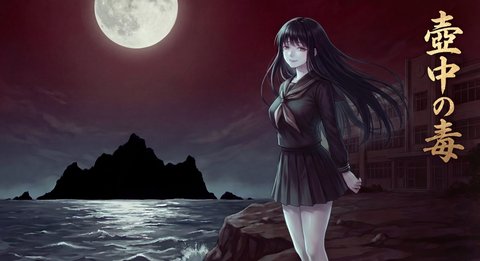
- Describe the shot: what is in the frame, how it moves, and how the camera moves. Atelier's own example is "a moonlit shore, a girl with long black hair on the rocks, the wind lifts her hair, she slowly turns to the camera".
- Pick a camera move if you want one: Push in, Pull back, Orbit, Follow, Pan or Locked.
- Pick the model, the resolution and the length. The button shows the price for that combination.
- On models that make sound, leave "Generate ambience and dialogue with it" on, or turn it off for a silent clip.
- Press Generate. The clip is saved to your asset library.
Atelier's prompt box gives one tip worth repeating: the smaller the motion, the steadier the character. Ask for a slow turn of the head before you ask for a sprint.
What else can you give the video model besides a first frame?
| Input | What it does | Which models take it |
|---|---|---|
| Text only | The model invents the look | all but Gen-4 Turbo, which needs a picture |
| First frame | The video starts on your picture | 28 of the 35 |
| Last frame | The video ends on your picture | 19 of the 35, among them Wan, Seedance, Veo and Kling 3.0 Omni |
| Character reference | Keeps the look while the scene is new | Grok Imagine 1.5 (up to 14 pictures), Wan 3.0 (10), Seedance 2.x, HappyHorse and H3 (9), Kling 3.0 Omni and O1 (7), Wan 2.7 (5) |
| Reference video | Camera and motion follow your video | Seedance 2.5, at 480p or 720p |
Use a first frame when you want this exact picture to start moving. Use character references when you want the same character in a new place.
Which AI video models does Atelier offer, and how long can clips be?
| Family | Models | Length | Resolution |
|---|---|---|---|
| Wan, on Yumina's GPUs | Wan 2.2 | 3, 5 or 8 s | 480p, 720p |
| Wan | Wan 3.0, Wan 3.0 Prime | 2 to 30 s | 480p to 1080p |
| Wan | Wan 2.7, 2.6, 2.5 | 2 to 15 s by model | up to 1080p |
| Seedance | 2.5, 2.0, 2.0 Fast, 2.0 Mini | 4 to 15 s | up to 1080p; Fast and Mini 720p |
| Seedance | 1.0 Pro, 1.0 Pro Fast | 2 to 12 s | 480p to 1080p |
| Kling | 3.0 Omni, 3.0, 3.0 Turbo | 3 to 15 s | 720p, 1080p |
| Kling | O1, 2.6, 2.5 Turbo | 5 or 10 s | up to 1080p |
| Veo | 3.1 Lite, 3.1 Fast, 3.1 | 4, 6 or 8 s | 720p, 1080p; 4K on Fast and 3.1 |
| Gemini Omni | 1.1 Flash | 3 to 10 s | 720p to 4K |
| Hailuo | H3, H3 Max, H3 Max Turbo | 5 to 15 s | 480p and 768p; 2K on H3 |
| Grok Imagine | 1.5, 1.5 Lite | 1 to 15 s | 480p to 1080p |
| HappyHorse | 1.1, 1.0 | 3 to 15 s | 720p, 1080p |
| LTX | 2.5 Fast, 2.5 Pro | 2 to 10 s | 720p to 4K on Fast; to 1080p on Pro |
| Others | Marey, Gen-4 Turbo, FLUX 3 Video, P-Video 2 | 5 s; 2 to 10 s; 5 to 20 s; 1 to 20 s | 720p or 1080p |
The picker shows the models available at the moment you open it, so the list on screen can be shorter than this one.
How much does an AI video cost in Atelier?
Video is priced by the second, and the rate depends on the model and the resolution. Five examples from the price settings on 15 November 2026:
| Model and clip | Price |
|---|---|
| Wan 2.2, fast mode, 5 s at 480p | 60 mushies |
| Seedance 1.0 Pro Fast, 5 s at 480p | 66 mushies |
| Veo 3.1 Lite, 6 s at 720p with sound | 360 mushies |
| Kling 3.0, 5 s at 720p with sound | 762 mushies |
| Seedance 2.5, 5 s at 720p | 2,016 mushies |
Five seconds on Seedance 2.5 costs about 34 times what it costs on Wan 2.2. Test the shot on a cheap model first, then run it on the one you want. Every Yumina account gets free mushies every month, and packs start at $2.99 for 1,000.
Wan 2.2 runs on Yumina's own GPUs under "Custom generation". It is the one model that exposes steps, seed and a negative prompt, takes up to 4 Wan LoRAs at 2 mushies each, and can draw the first frame in one of Atelier's art styles. Without a style, a text-only clip leans realistic. Its fast mode uses 4 steps and is on unless you turn it off.
How do you put the video on your character?
A finished clip has a "Put it in…" menu with three places.
- Character's moving portrait. You choose which of the portrait's two clips it becomes, Idle or Speaking.
- Top of the opening. The clip is added at the top of the card's opening, the first thing a player sees.
- Player screen. The clip goes into a new video frame on the card's interface.
Two tools work on a finished clip. Lip sync makes the character speak an audio line, on a clip of 2 to 10 seconds. Upscale video doubles the resolution of a clip up to 20 seconds long.
For the picture the video starts from, see How to keep an AI character consistent with a LoRA. Higgsfield alternatives compares Atelier with other AI video tools.
FAQ
How long can an AI video be in Atelier?
From 1 second to 30 seconds in one clip, depending on the model. Wan 3.0 goes to 30 seconds. Most models stop at 10 or 15.
What resolution are the videos?
480p to 4K. Veo 3.1, Veo 3.1 Fast, Gemini Omni 1.1 Flash and LTX-2.5 Fast go to 4K. Most others stop at 1080p.
Can AI video keep my character's face the same?
Start from a first frame of the character, or give character references on a model that takes them. Small motions keep the face steadier than large ones.
Does the AI video have sound?
On models that support it. Veo, Seedance 2.x, Kling 3.0, Wan 3.0 and LTX have a sound switch. On Gemini Omni, Grok Imagine and HappyHorse the sound is always on. Wan 2.2 clips are silent.
Sources
Checked 15 November 2026. The Video studio and moving portraits: the update log at yumina.io/app/updates, entries of 3 October and 10 November 2026. Video model families: Which AI models can I use?. Free mushies: Is Yumina free?. Model names, lengths, resolutions, inputs, prices, the prompt tip and the "Put it in…" menu: the Video studio and its settings as shipped that day.